Reading and Writing

Book: Animated Storytelling
Simple Steps for Creating Animation & Motion Graphics by Liz Blazer (Second Edition)
Chapter 11: Show and Tell emphasizes that the visual style and technical execution of an animation must always serve the narrative. She compares choosing an animation technique, whether 2D, 3D, or stop-motion, to picking the right tool for a job, urging creators to select a style that enhances the story’s mood and clarity. The chapter highlights the necessity of performing quick motion tests to ensure characters feel authentic and to troubleshoot technical issues before full production begins.
Furthermore, Blazer explains how to use fundamental animation principles, such as Squash and Stretch and Anticipation, to convey a character’s emotions and intentions effectively without the need for dialogue.
This semester has been a deep dive into the fundamentals of motion design using Photoshop, After Effects, Animate, and Premiere Pro. I gained hands-on experience with diverse techniques, from creating animated GIFs through tweening and cinemagraphs to executing a full-scale, frame-by-frame animation, managing the entire pipeline from storyboarding to post-production. I also explored logo animation, applying core principles like squash and stretch to add realism, and experimented with interface motion, which was a personal highlight. While I entered the course with some video production knowledge, I now feel much more confident utilizing advanced tools and techniques. I am excited to bring these skills to my professional work, transforming our current still-image social media and signage into dynamic video content that better engages our audience.
Research to Inform
This animation uses dynamic type overlays to keep the text perfectly still and readable while the camera performs a perspective shift physically moving through the 3D space.
This animation shows flat letters smoothly turning into thick 3D text with a lot of depth. A colorful gradient flows through the letters like moving liquid, giving the whole design a bright and professional look. I would love to try this technique.
https://www.behance.net/gallery/243593917/Spatial-Festival/modules/1406287957
For my final project, I developed a three-part cinemagraph series titled “Higher Ed” that captures the essence of campus life. Here is a breakdown of the creative process behind each piece.
1. The “Eternal” Study Session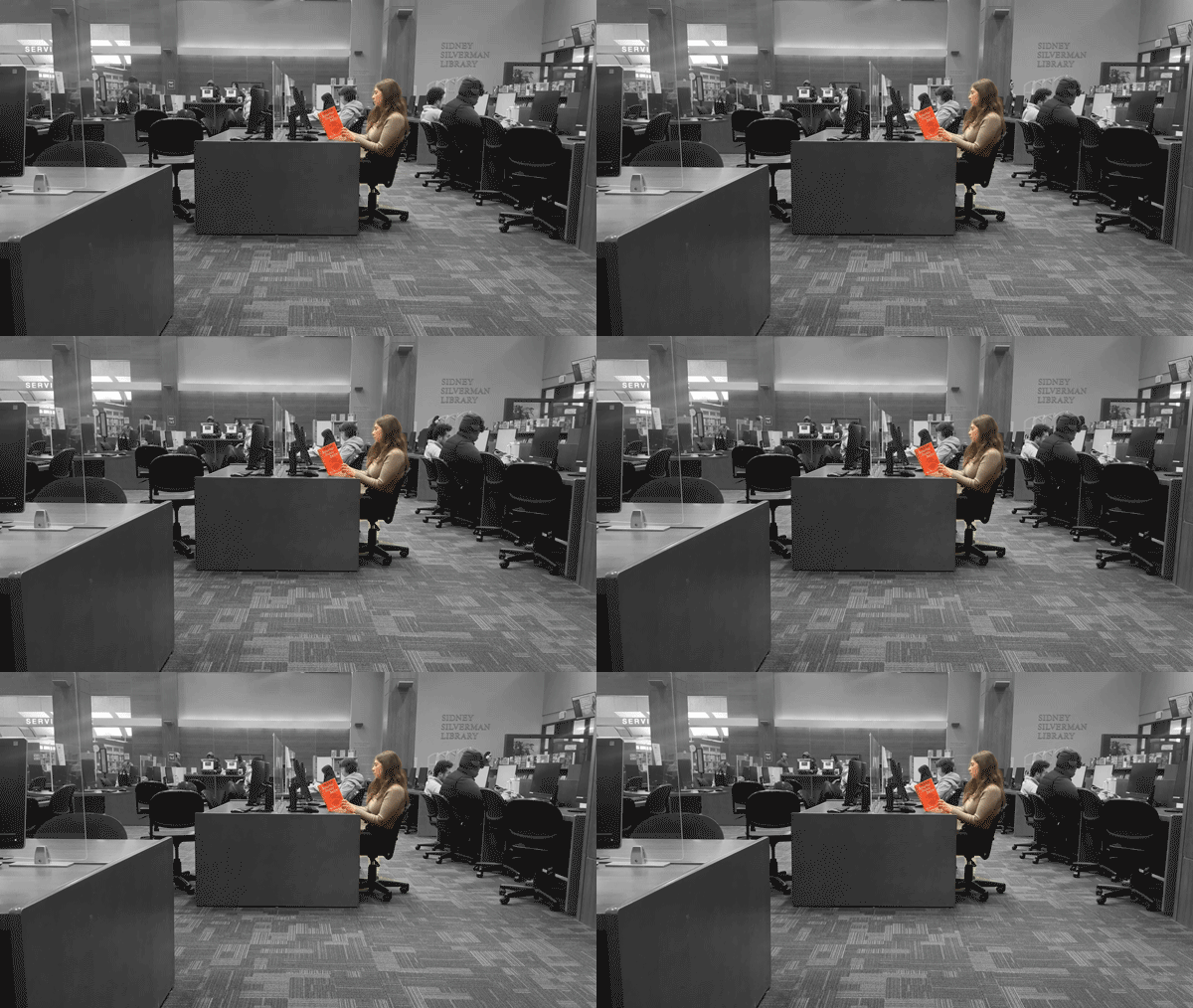
To create this cinemagraph, I filmed a student concentrating on a book while the world moved around her, then used a “ping-pong” loop in After Effects by duplicating and reversing the footage for a seamless cross-fade. After importing the video into Photoshop, I isolated the student in color against a black-and-white background to make her stand out, finishing the project at 15 fps to ensure a compact GIF file size.
2. The Breakthrough (The Lab/Studio)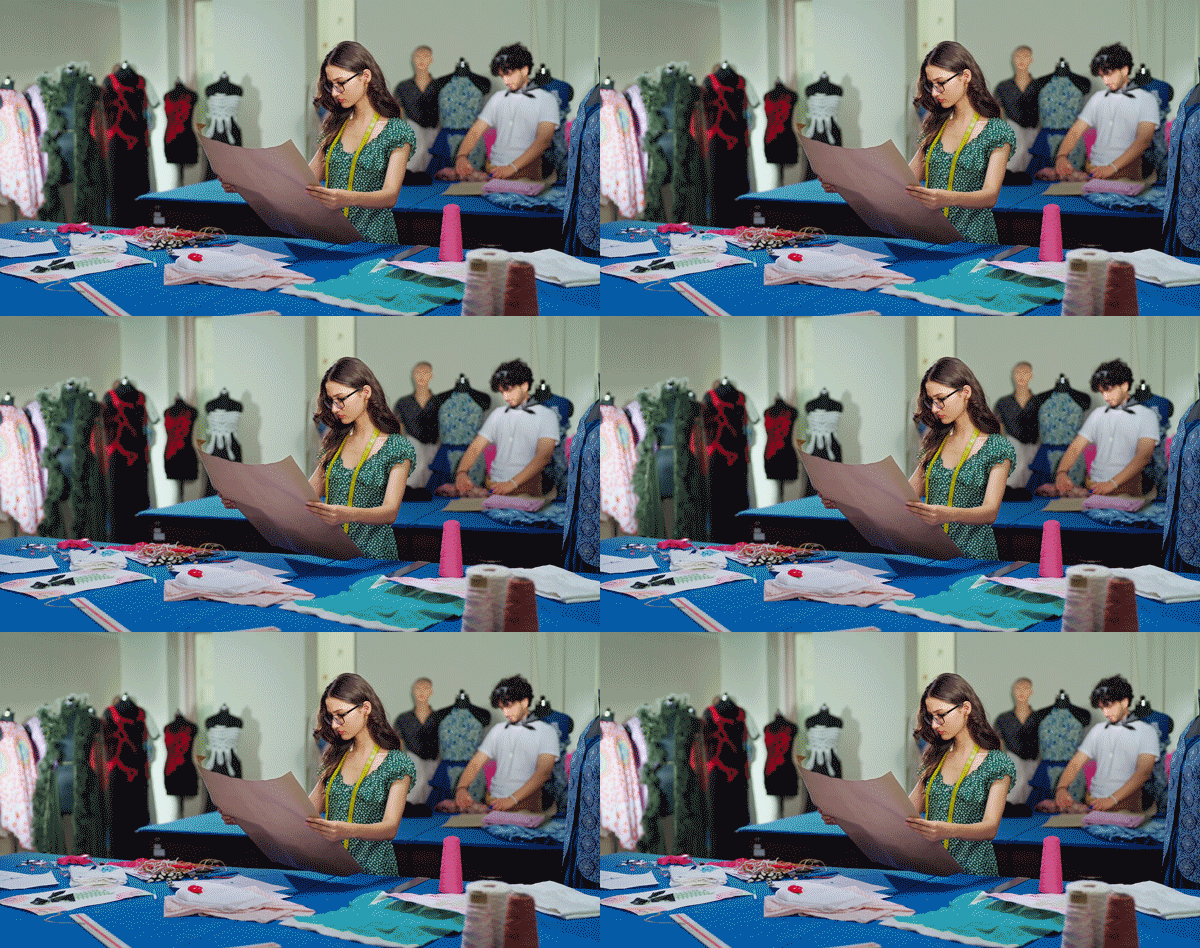
For my second cinemagraph, I utilized stock footage of a fashion design class, masking the scene so only the dress remains in motion while the student and her sketch are frozen in time. To create a seamless loop in Photoshop, I split the clip and rearranged the frames to transition the end back to the beginning with a smooth cross-fade, finishing the look with an adjustment layer for enhanced contrast.
3. The Campus Pulse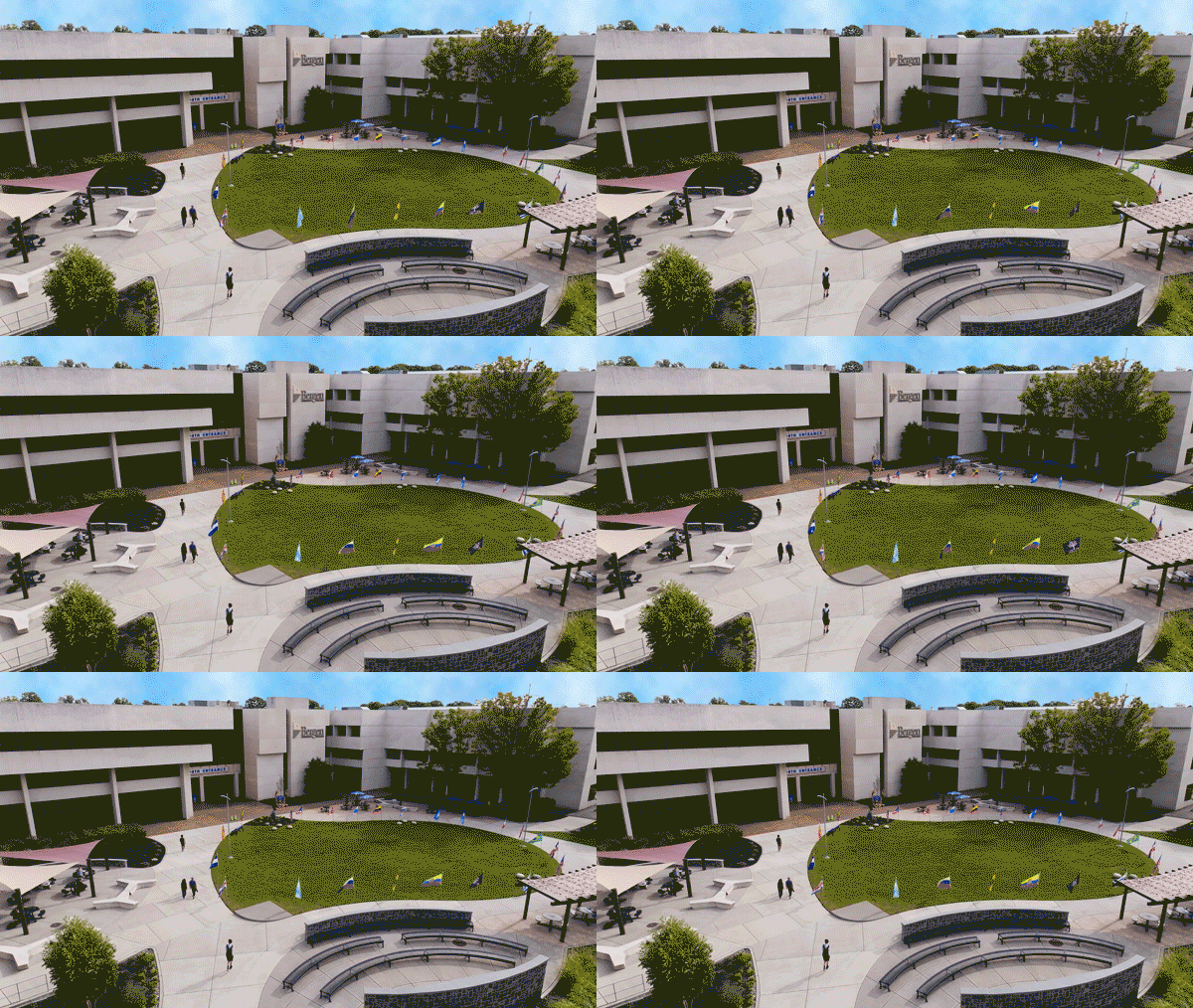
For my final cinemagraph, I captured the movement of flags on campus to represent our college’s diversity while freezing all other surrounding elements. Because the original footage was shot on a gray, overcast day, I digitally generated a more dynamic sky and applied adjustment layers to enhance the overall color and vibrance.